 Dibyajyoti Kabi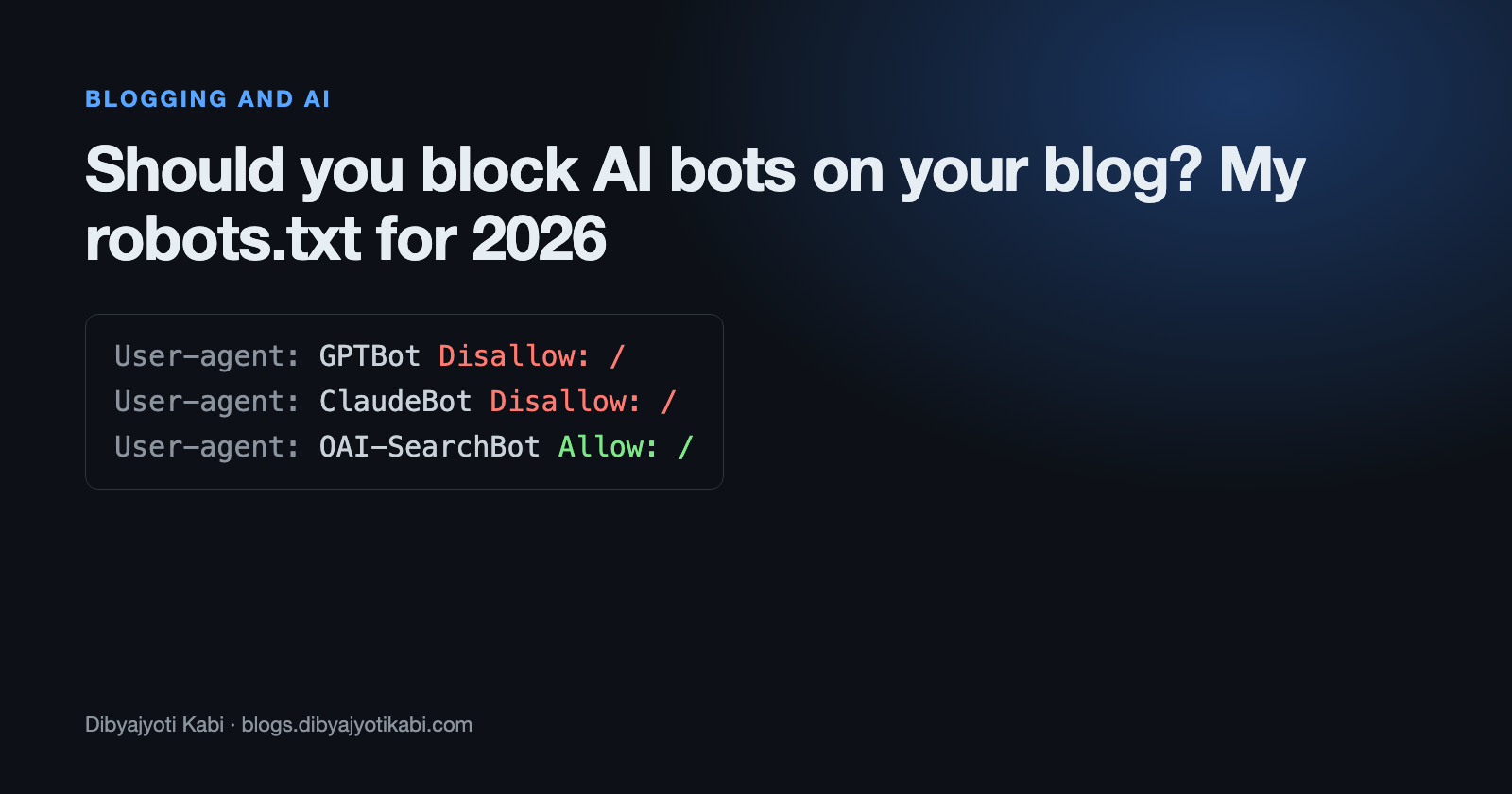
“Should I block the AI bots?” is one of the most common questions I get from people who run small blogs. Most of them have read somewhere that one line in robots.txt will stop ChatGPT from using their posts.
It’s not that simple anymore. OpenAI, Anthropic and Google each run more than one crawler now, and each one does a different job. Block the wrong one and you might disappear from AI search answers without stopping training at all.
In this post, I will explain what each bot does, which ones actually listen to robots.txt, and the file I’d use on a personal blog today.
Why there’s more than one bot
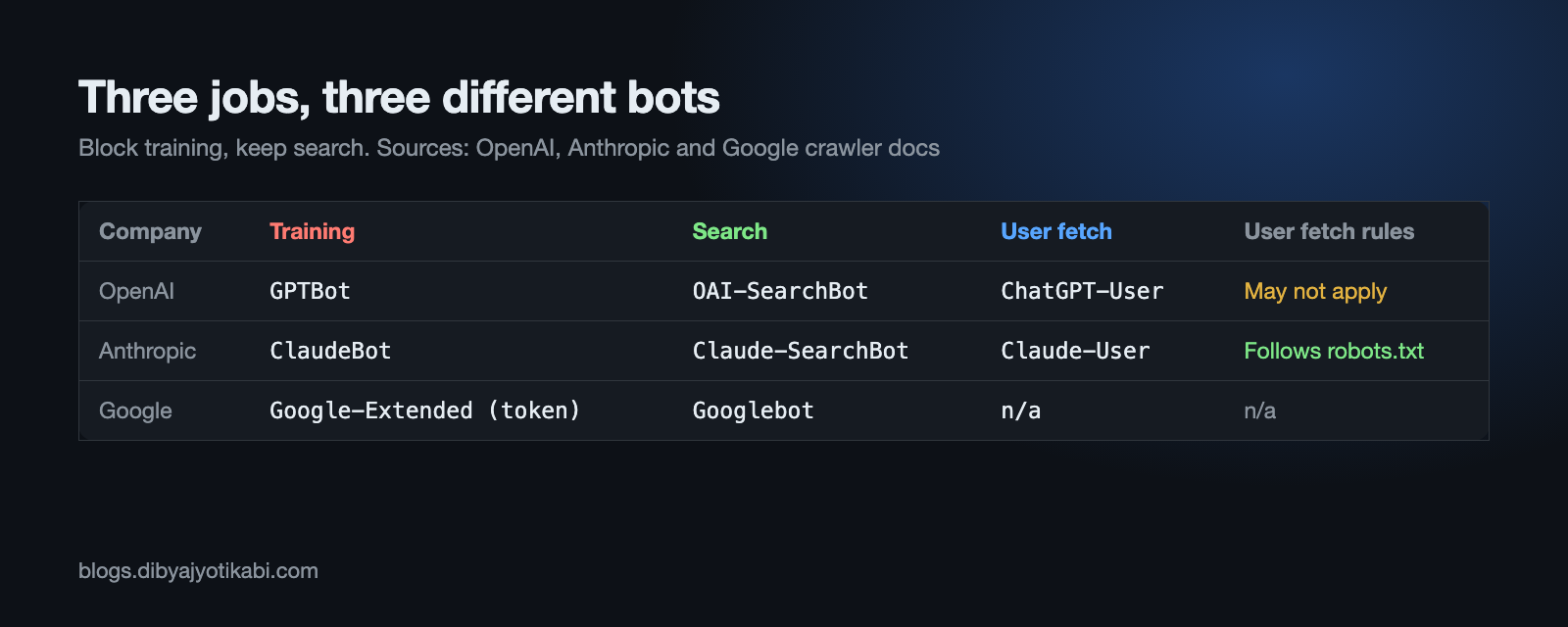
Most AI companies now split their crawling into three jobs.
- Training. A bot collects pages to train future models.
- Search. A bot builds an index so the chatbot can cite and link to your page when someone asks a question.
- User fetch. Someone pastes your link into a chat or asks the assistant to open it, and the assistant fetches that one page live.
These are separate user agents. That means you can say no to training and still say yes to being found in AI search. Here’s why that matters: the search bots are the ones that can send you visitors. The training bots never do.
OpenAI’s crawlers
OpenAI lists its bots on its crawler documentation page.
- GPTBot is the training crawler. It respects robots.txt.
- OAI-SearchBot builds the index for ChatGPT search. It respects robots.txt too. OpenAI says changes can take about 24 hours to take effect.
- ChatGPT-User fetches a page when a user asks ChatGPT to. OpenAI says robots.txt rules may not apply to it, because a person triggered the visit.
So if you block GPTBot but allow OAI-SearchBot, your posts can still show up as cited sources in ChatGPT search.
Anthropic’s crawlers
Anthropic explains its setup in a help center article.
- ClaudeBot collects public pages for training.
- Claude-SearchBot builds the search index Claude uses to answer questions.
- Claude-User fetches a page when a person asks Claude to.
All three respect robots.txt, and Anthropic also supports the Crawl-delay rule if you just want them to slow down. Anthropic says blocking by IP address is not reliable, because its bots use public cloud IPs that change.
There’s more. If you still have the old anthropic-ai or Claude-Web lines in your robots.txt, they do nothing now. Those agents are deprecated. Use the new names.
Google-Extended is a token, not a bot
This one confuses a lot of people. Google-Extended doesn’t crawl anything. It’s a product token that you put in robots.txt to tell Google whether your content can be used for Gemini training and grounding.
Googlebot still does the actual crawling. And Google is clear about the effect on search. Its crawler documentation says Google-Extended does not affect your inclusion in Google Search and is not used as a ranking signal.
What it does not do is keep you out of AI Overviews. Those are part of Google Search, so they follow normal Googlebot rules. If you block Googlebot, you’re gone from Google entirely. That’s not what you want.
My robots.txt for a personal blog
This is what I’d use on a small blog that wants search traffic but doesn’t want to feed model training for free.
# Block AI training
User-agent: GPTBot
Disallow: /

User-agent: ClaudeBot
Disallow: /

User-agent: Google-Extended
Disallow: /

User-agent: CCBot
Disallow: /

# Allow AI search, so posts can be cited with a link
User-agent: OAI-SearchBot
Allow: /

User-agent: Claude-SearchBot
Allow: /

# Everyone else, including Googlebot and Bingbot
User-agent: *
Allow: /

Sitemap: https://example.com/sitemap.xml
CCBot is Common Crawl’s bot. Its public dataset has been used to train a lot of models, so I block it too. Change the Sitemap line to your own URL.
I left ChatGPT-User and Claude-User alone. Those visits happen because a real person wants to read your page through an assistant. Blocking them mostly annoys your own readers.
How to add it
On WordPress, the easiest way is through your SEO plugin.
- In your WordPress dashboard, go to Yoast SEO > Tools > File editor. On Rank Math, it’s Rank Math SEO > General Settings > Edit robots.txt.
- Paste the rules above your existing ones. Keep your Sitemap line.
- Click Save.
- Open yoursite.com/robots.txt in a private browser window to make sure the change is live.
If you’re on a static site or a custom setup like mine, just put a plain robots.txt file at the root of your domain.
What robots.txt can’t do
Be realistic about this. robots.txt is a polite request, not a lock. The big companies I listed say they follow it, but smaller scrapers often don’t.
It also doesn’t remove anything that was already collected. Blocking GPTBot today stops future crawls, not past ones.
If you need real enforcement, look at your CDN. Cloudflare, for example, has bot controls that can block AI crawlers at the edge, which is a lot harder to ignore.
Wrapping up
That’s it. Block the training bots, keep the search bots, and leave the user-fetch bots alone. That gives you the best of both sides for now.
If you’re just starting a blog and wondering if it can still pay in the age of AI answers, I think it can. I explained why in the post about my ebook, Blog to Paycheck.
Are you blocking AI bots on your blog, or letting them in? Tell me what platform you’re on (WordPress, Ghost, a static site) and I’ll help you set up the right file.